Query Fan-Out Analysis Tool: See the sub-queries behind each AI answer
Answer engines don't search on your prompt. They decompose it into synthetic sub-queries, search on those, and build the answer from what comes back — so those queries, not your prompt, decide whether your brand is cited.
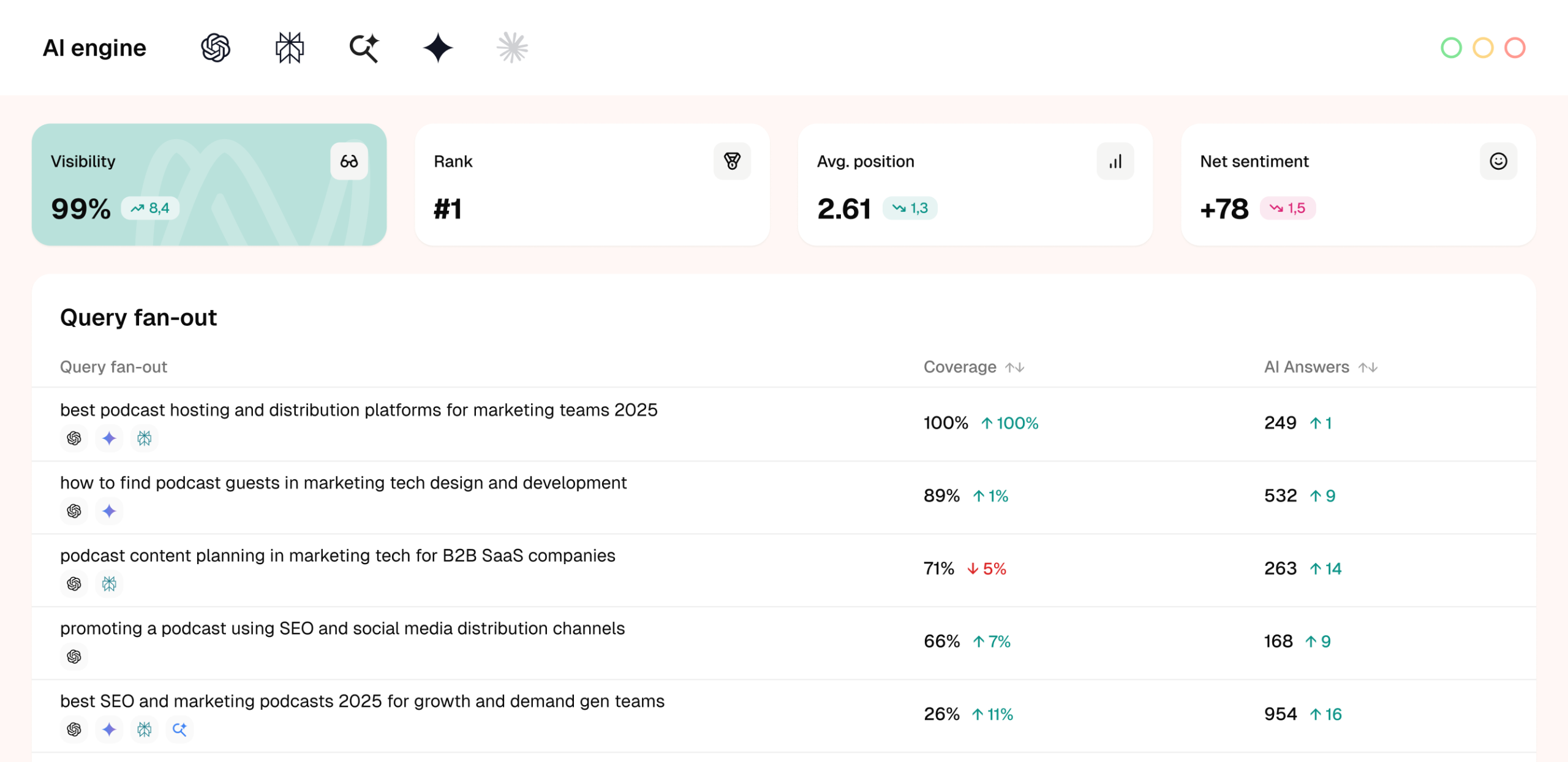
Your AI visibility score names the outcome. Query fan-out names the cause.
AI visibility data helps you move from isolated metrics to patterns — but only once you can see the queries an answer was actually built from.
From a score to a list of queries you can brief
Your report says you're absent from a share of the prompts you track, without naming what to fix. Fan-out analysis returns the queries that assembled those answers, so the finding arrives with work attached to it.
See the search that ran, not the prompt you typed
Answer engines run a query decomposition step first, retrieving against synthetic sub-queries instead of your prompt, so a page can match the prompt closely and never enter the candidate set. SE Visible shows you the queries that did the retrieving — the layer your content has to answer.
Reach the queries your keyword tools can't report on
Sub-queries are written by the model, not typed by a person, so most carry no recorded search volume and no keyword workflow surfaces them. They still appear in the fan-out for each prompt, with frequency standing in for the volume you don't have.
Fan-out coverage: Which sub-queries you answer and which you miss
A visibility score tells you the outcome. Coverage tells you the cause, at a level a content team can act on.
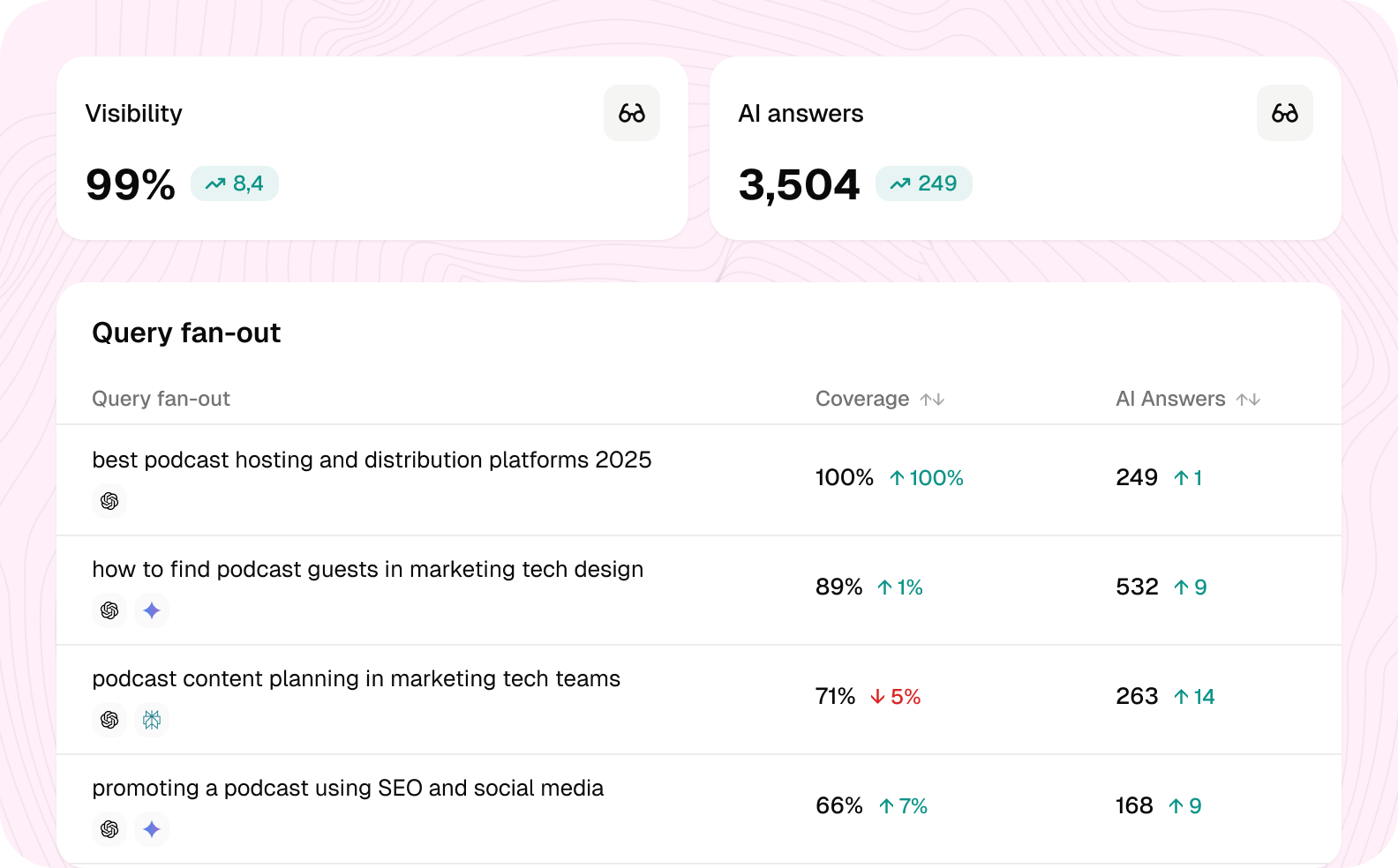
See the fan-out behind each tracked prompt
Each prompt in your prompt set opens into the sub-queries it produced, listed one by one rather than rolled into a score.
Frequency, mention rate, and citation share sit on each query, so you can tell one your brand owns from one it merely appears near.
Frequency matters most: answer engines are non-deterministic, and the same prompt won't decompose identically each time it runs.
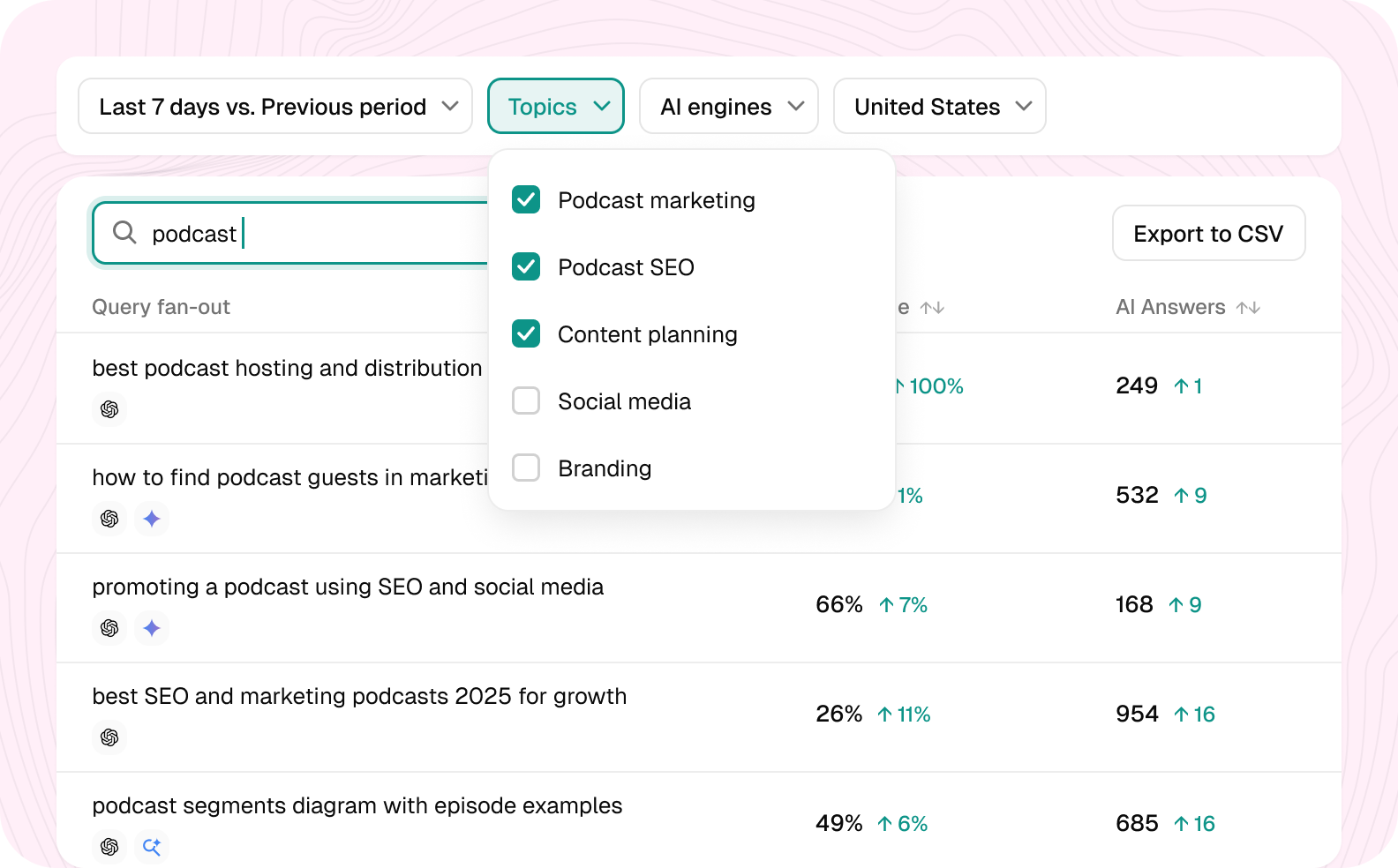
Read your coverage, per prompt and per topic
Coverage is the share of a prompt's sub-queries where your brand appears.
It turns "we weren't in that answer" into a specific list of queries you're missing.
Aggregated across a topic, it shows whether you're thin on a subject or absent from it entirely.
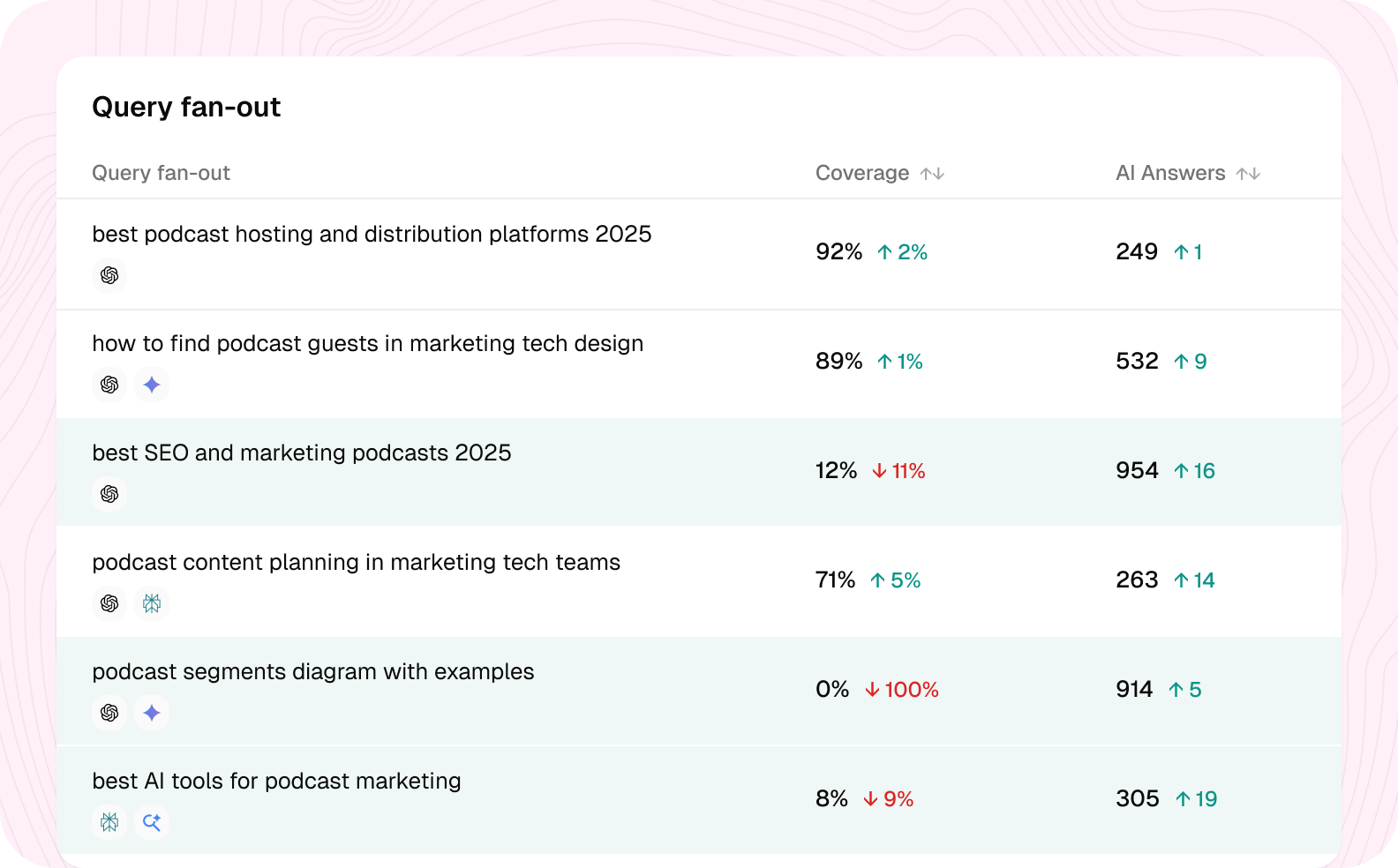
Prioritize the gaps that recur
Not all gaps deserve a brief: high-frequency uncovered queries — the ones that appear across most runs of a prompt — are the shortest route to a citation, because content written against them keeps being retrieved.
Gaps are ranked by frequency and grouped into topic clusters, so a synthetic query no keyword tool reports on still arrives as a briefable piece of work.
Search volume, keyword difficulty, and your organic position on those same queries are available through SE Ranking, so the answer layer and the search layer resolve into one backlog rather than two.
Open the fan-out behind your own prompt set
Start with the prompts you already track and read the sub-queries underneath them.
Why marketing teams choosing us


Complete AI visibility tool with pricing that works for you
Choose the plan that fits your needs or explore SE Visible with a 10-day free trial
What is query fan-out?
Query fan-out is the query decomposition step an answer engine runs before it searches. Your prompt becomes a set of machine-generated sub-queries; the engine retrieves against those, then synthesizes one answer from what comes back. The prompt you typed is the input to that process, not the search that runs — which is why the sub-queries, and not the prompt, determine which pages are eligible to be cited. They’re also written by the model rather than by a person, so they run longer and more specific than anything a user would type, and they change between runs of the same prompt.
How does fan-out analysis work?
It runs on the prompts already tracked in your project, so there’s no second prompt list to build. Each prompt opens into its sub-queries with frequency and mention rate on each. Coverage then shows the share where your brand appears, and the queries cluster into topics so you can prioritize a subject rather than a row.
How do I use a query fan-out tool?
Start with fan-out coverage — the share of a prompt’s sub-queries where your brand appears. The uncovered queries with high frequency are the ones worth writing against first, because they recur across runs rather than appearing once. From there, group them into topics and treat each cluster as a content brief rather than a page edit.
How many sub-queries does ChatGPT generate per prompt?
It varies with the complexity of the prompt, and the counts shift as engines update. Published estimates put Google’s AI Mode at roughly nine sub-queries per prompt; ChatGPT is generally reported as running fewer. Treat any single figure as a snapshot rather than a constant.
Do ChatGPT and AI Mode fan out differently?
Yes. They differ in how many sub-queries they generate, how specific those queries are, and how much of the answer is drawn from retrieval versus the model’s own parameters. That’s why coverage is worth reading per engine rather than as a single blended figure.
Which AI engines does this cover?
SE Visible tracks ChatGPT, Gemini, Perplexity, Google AI Mode, and Google AI Overviews. Claude will be soon.
Do fan-out queries have search volume?
Mostly not. They’re written by the model rather than typed by a person, so they run long and specific, and sit outside recorded search demand. Volume still matters for the minority that do register and for the head terms a cluster sits under — that’s where a coverage gap and an organic opportunity overlap, and those are usually the first pages worth working on.
Stop measuring AI visibility one layer above where it's decided
See the fan-out coverage behind the prompt set you already track. We'll walk through your prompts and your domain on the call.